




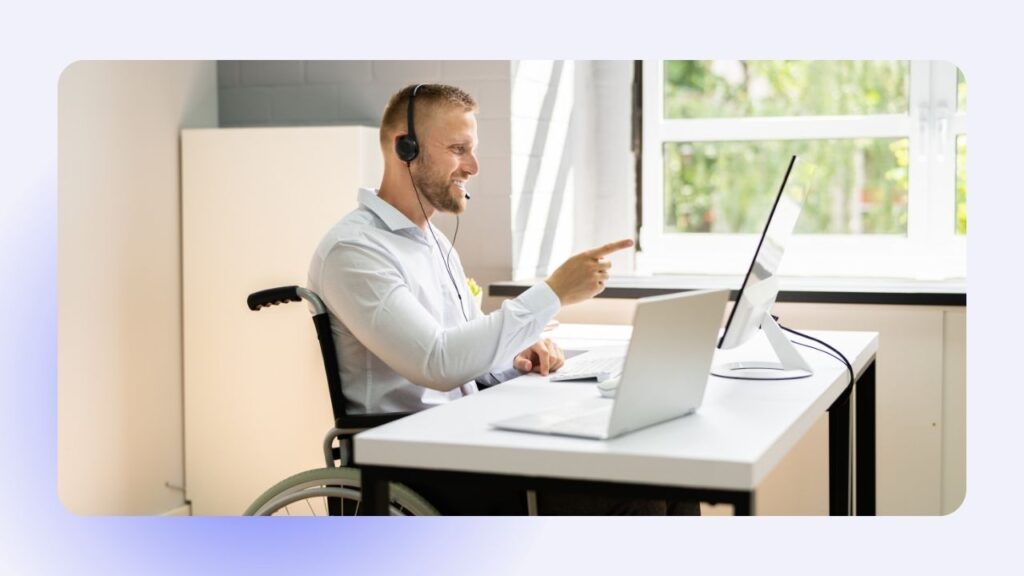
A Great Webinar Should Work for Everyone
When planning a webinar, teams usually think about speakers, content, technology, promotion, and audience engagement.
Accessibility can sometimes become an afterthought.
But it shouldn’t be.
A strong webinar accessibility strategy helps ensure that more people can understand, navigate, and participate in your event—regardless of hearing, vision, mobility, cognitive, language, or technology-related barriers.
And accessibility doesn’t only benefit people with disabilities. Captions can help someone joining from a noisy environment. Clear slides make presentations easier to follow on smaller screens. Recordings and transcripts give attendees more flexibility in how they consume information.
In other words, accessible webinars often create better webinars for everyone.
Here’s how to make accessibility part of the event from the beginning.
What Is Webinar Accessibility?
Webinar accessibility means designing and delivering virtual events so that people with different abilities and needs can participate effectively.
This can include:
- live captions
- transcripts
- keyboard-accessible platforms
- screen reader compatibility
- readable presentation slides
- clear verbal descriptions
- accessible registration forms
- recordings with captions
- multiple ways to participate
The goal isn’t simply to add one accessibility feature.
It’s to consider the entire attendee journey.
Accessibility Starts Before the Webinar
An attendee’s experience begins long before the host says hello.
Think about everything someone encounters before joining:
Invitation → Registration → Confirmation → Reminder → Webinar platform
Each stage should be easy to understand and navigate.
For example, registration pages should use:
- descriptive headings
- clearly labelled form fields
- readable text
- sufficient colour contrast
- meaningful link text
- simple instructions
You can also provide information about available accessibility features before the event.
This helps attendees know what to expect and gives them an opportunity to request accommodations when appropriate.
Captions Should Be a Priority
Captions are one of the most recognizable webinar accessibility features—and one of the most broadly useful.
They can support:
- attendees who are Deaf or hard of hearing
- people joining from noisy environments
- people watching without audio
- attendees who process written information more easily
- participants listening in a non-native language
Automated captions have improved considerably, but they’re not perfect.
Industry terminology, names, acronyms, and technical language can still cause errors.
For events where accuracy is particularly important, consider how caption quality will be monitored and whether professional captioning is appropriate.
Make Presentation Slides Easier to Follow
A presentation doesn’t need to be visually complicated to be effective.
In fact, simpler slides are often more accessible.
Consider:
- larger font sizes
- strong colour contrast
- clear headings
- limited text
- simple charts
- consistent layouts
- readable typefaces
Avoid communicating important information through colour alone.
For example, if a graph uses green for positive results and red for negative results, include labels or another visual indicator so that the meaning isn’t dependent entirely on colour.
Accessibility and good presentation design often go hand in hand.
Describe Important Visual Information
Imagine a presenter says:
“As you can see on this chart…”
But some attendees can’t clearly see the chart.
Instead, presenters can briefly explain the important information verbally.
For example:
“The chart shows registrations increasing steadily from January through April, with the largest increase occurring in March.”
This small change makes the information easier to understand without relying exclusively on the visual.
It can also help attendees who are watching on small screens or only partially focused on the presentation.
Don’t Forget About Audio Quality
Accessibility isn’t only about what people see.
Poor audio can make even excellent content difficult to understand.
Professional webinar production should consider:
- microphone quality
- background noise
- speaker volume
- audio consistency
- echo
- connection stability
Speakers should also be encouraged to communicate clearly and avoid speaking too quickly.
Clean, consistent audio benefits the entire audience.
Make Interaction Accessible Too
Polls, Q&A sessions, chat discussions, and other interactive elements can improve engagement—but they should also be considered from an accessibility perspective.
Before choosing a webinar platform or interactive tool, ask:
- Can it be navigated using a keyboard?
- Does it work with assistive technologies?
- Are polls clearly labelled?
- Can attendees participate without using a mouse?
- Are there alternative ways to ask questions?
Engagement shouldn’t depend on everyone interacting in exactly the same way.
Provide More Than One Way to Participate
Some attendees may be comfortable speaking on camera.
Others may prefer chat.
Some may want to submit questions anonymously.
Others might need additional time to formulate a response.
Offering multiple participation options can make webinars more inclusive while also improving overall engagement.
For example, audiences might participate through:
- live chat
- Q&A tools
- polls
- verbal questions
- pre-submitted questions
- post-event feedback
Accessibility often improves when attendees have choices.
Think About the Recording
Accessibility shouldn’t end when the live webinar does.
If the recording will be shared afterward, consider providing:
- accurate captions
- a transcript
- accessible supporting documents
- clearly labelled resources
This makes your content available to people who couldn’t attend live and gives existing attendees another way to revisit the information.
It can also extend the useful life of the webinar.
Train Your Speakers and Moderators
Even an accessible platform can’t compensate for an event team that hasn’t considered accessibility.
Include accessibility in speaker preparation and rehearsals.
Presenters can be reminded to:
- speak clearly
- introduce themselves when speaking
- explain important visuals
- avoid referring only to colours or locations on a slide
- read important audience questions aloud
- leave enough time for captions and interpretation when applicable
Moderators also play an important role in keeping communication clear and organized.
Accessibility Shouldn’t Be a Last-Minute Checklist
One of the biggest mistakes is waiting until the webinar is almost ready before thinking about accessibility.
By then, changing the platform, redesigning slides, arranging captioning, or modifying registration processes can become much more difficult.
Instead, accessibility should be considered during:
Planning → Platform selection → Content creation → Rehearsal → Live production → Post-event distribution
When it’s built into the process, accessibility becomes part of good webinar production rather than an extra task at the end.
Accessible Webinars Often Create Better Experiences
There’s an important idea behind many accessibility best practices:
Designing for different needs often improves the experience for everyone.
Captions help people in noisy environments.
Clear slides help people watching on mobile devices.
Good audio helps everyone understand speakers.
Multiple participation methods encourage more people to engage.
Transcripts make information easier to reference later.
Accessibility isn’t only about removing barriers.
It’s also about creating a more flexible, thoughtful, and professional event experience.
Make Webinar Accessibility Part of the Strategy
Successful virtual events aren’t defined only by attendance numbers or impressive technology.
They’re defined by how effectively people can participate.
Building webinar accessibility into your strategy from the beginning helps create events that are easier to follow, more inclusive, and more valuable to a wider audience.
Because if you’re investing in creating an important conversation, it makes sense to ensure as many people as possible can be part of it.
Frequently Asked Questions
What is webinar accessibility?
Webinar accessibility involves designing virtual events so that people with different abilities and accessibility needs can understand, navigate, and participate. This can include captions, transcripts, accessible slides, keyboard navigation, clear audio, and multiple participation options.
How can I make my webinar more accessible?
Start by selecting an accessible webinar platform, providing captions, creating readable slides, ensuring good audio quality, describing important visuals, and offering multiple ways for attendees to participate.
Are captions important for webinar accessibility?
Yes. Captions are particularly important for attendees who are Deaf or hard of hearing, but they can also help people in noisy environments, non-native speakers, and attendees who prefer reading along with spoken content.
When should accessibility be considered when planning a webinar?
Accessibility should be considered from the beginning of the planning process. Platform selection, registration, presentations, interactive elements, speaker preparation, live production, and post-event recordings can all affect accessibility.